WooCommerce 10.9 ships on June 23, 2026. Most of the coverage you will read leans on the merchant-facing features: color swatches, wishlists, back-in-stock notifications, variation galleries. Those are nice to have. But if you build and maintain WooCommerce sites for a living, a different set of changes deserves your attention.
Three of them stand out: email logging finally landing in core, the quiet arrival of agent-ready infrastructure, and a few behind-the-scenes changes that affect how you upgrade client sites. We will take them in that order, starting with the one you will use first. If you want the exhaustive, PR-by-PR rundown, WooCommerce’s official 10.9 developer post is the primary source. This piece is about what matters when you are the one doing the work.
Table of Contents
Transactional email logging is now in core
This is the one you will reach for first, probably this week.
Until now, chasing down a “the customer says they never got the order confirmation” report meant bolting on a logging plugin first. WP Mail Logging, Post SMTP’s debug view, something along those lines. Only then could you see whether WooCommerce had even attempted the send. It is an extra dependency on every site, installed reactively, usually after the problem had already cost you a support ticket.
WooCommerce 10.9 brings transactional email logging into core. Email attempts now appear under WooCommerce → Status → Logs, with send outcomes and, where available, the local failure reason.
One caveat before you treat this as a cure-all: it logs the send attempt and the local outcome. That tells you whether WooCommerce handed the message off, and whether anything failed on your server’s side. What it cannot tell you is what happened next. If a receiving mail server bounced the message, marked it as spam, or quietly dropped it, that is still invisible here, and you will want proper SMTP and deliverability tooling to see it. So think of this as a complement to your email stack, not a replacement. For the question clients actually ask, though, “did the site even try to send this?”, you finally have an answer built in, with nothing to install.
If you run an agency, switch it on across the sites you support the day you upgrade. It turns a whole category of guesswork into a two-click diagnosis.
The quiet headline: WooCommerce is becoming agent-ready
The most consequential change in 10.9 is one most merchants will never see, and it is the easiest to misread.
WooCommerce 10.9 introduces the first canonical WooCommerce Abilities for products and orders. These are schema-backed business operations: querying products, creating or updating them, querying orders, updating an order’s status, adding order notes. They replace the older approach, where WooCommerce’s MCP integration mostly wrapped REST endpoints one for one. Rather than handing you an endpoint and leaving you to work out the semantics, an Ability is a defined operation with input and output schemas, permission checks, metadata, and clear read/write (and idempotency) behavior.
Why does that matter? Because it gives WooCommerce a transport-neutral contract. The same Ability can be exposed through the WordPress Abilities API, WordPress MCP, admin tools, CLI workflows, automation systems, and whatever agent surfaces come next, and none of those integrations has to reinvent the underlying business logic. The pattern is already spreading to extensions, too. They can expose read-only surfaces for things like subscriptions, payment account details, shipping rules, product add-ons, gift cards, and marketing status. That is the kind of custom pricing and product logic a lot of us already build by hand.
Products and orders ship first, and the old MCP endpoint stays available as a transition path, so nothing breaks today. The direction, though, is hard to miss: WooCommerce is laying the plumbing for AI agents and automation platforms to work with stores in a structured, permissioned way. If you have wondered when “agent-driven commerce” stops being a keynote slide and turns into something you can actually build against, this is the release where the foundation gets poured.
If you maintain extensions, take this as your early signal to start thinking in terms of Abilities. Defining clean, schema-backed operations now gets your product ready for the surfaces that are coming.
The dual API and GraphQL: read the fine print
This is the part a lot of the early coverage gets wrong, so it is worth being precise.
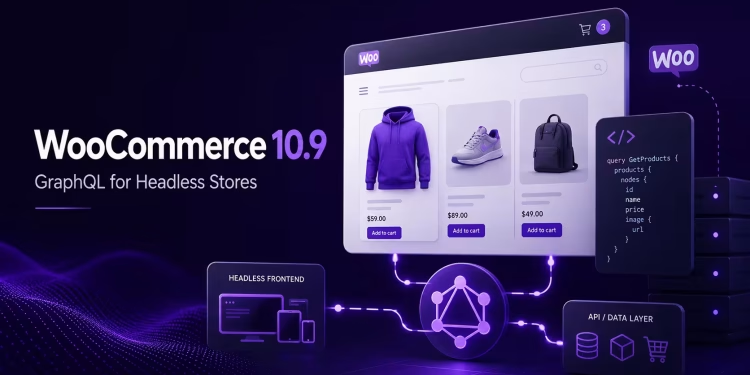
Yes, 10.9 introduces a dual API with GraphQL infrastructure. No, it does not mean headless WooCommerce has arrived. The feature is experimental, openly described as a proof of concept, needs PHP 8.1 or newer, and in core it covers products and coupons only.
The idea behind it is elegant. You define an authoritative API in PHP classes, and a matching GraphQL API gets generated from those classes during development. Executable classes become queries and mutations; data objects become input and output types. It gets interesting for extension developers: a plugin can define its own PHP API classes, generate GraphQL support from them, and register a GraphQL endpoint using utilities WooCommerce ships.
It helps to place this next to the APIs you already use. The REST API is still your tool for broad store management and outside integrations: orders, customers, shipping zones, automation workflows. The Store API is the one built for customer-facing cart, checkout, and product behavior. It powers WooCommerce Blocks, and it is what most custom storefronts lean on today, whether they are built in React, Next.js, or something else. The new dual API replaces neither of them. It is a third, code-first direction that may, in time, give developers a cleaner way to expose structured GraphQL interfaces over their PHP business logic. For now, REST and the Store API are where the real work still happens.
So treat this as groundwork, not a production feature. It fits with the Abilities work above as part of the same push toward typed, machine-friendly contracts. And if you are seriously weighing a headless build, hold onto one hard truth. Product browsing is the easy half of headless commerce. Checkout is the hard half, and it stays hard: payments, sessions, security, taxes, shipping, plugin compatibility. A GraphQL layer does not make any of that simpler. The storefront and the commerce engine are more separable than they look, mind you. We once rebuilt a WooCommerce store as a WhatsApp-only flow with no cart or checkout at all. But if you are scoping a headless project for a client this quarter, you are still reaching for the Store API and REST, not this.
One thing this matters for: upgrade planning. Because the layer is experimental, opt-in, and additive, it will not collide with your existing custom code on a normal upgrade. If you have seen advice telling you to test your site against the new GraphQL layer before upgrading, it is aimed at the wrong target. The real upgrade risks are elsewhere.
The changes that actually affect your upgrade
This is the part that earns a place on your pre-upgrade checklist. None of these are headline features, and every one of them is more likely to ruin an afternoon than anything above.
Checkout and Store API draft-order behavior changed. This is the one to test. The Store API no longer creates a persisted draft order during fresh-session GET and PATCH requests. Draft order creation now happens closer to place-order time instead. The payoff is fewer orphaned draft rows from shoppers who never finish checkout. The risk is that custom checkout logic, or a payment extension that assumes a draft order already exists early in the session, may now behave differently. And WooCommerce checkout already has plenty of ways to break even when Stripe and shipping look correctly installed. If a client has a non-trivial checkout, validate it on a staging copy before you do anything else.
Product query behavior shifted. 10.9 changes product filter SQL behavior and cuts query volume on shop and admin product pages. Mostly a win, but if you have hooked custom logic into those queries, give them a look before you ship.
A deprecation with a deadline. The block-based Product Editor beta and its extension APIs are deprecated in 10.9, with removal planned for WooCommerce 11.0. Nothing breaks in 10.9 itself. But if a client runs an extension built on those APIs, that is a migration to plan now rather than discover later. Audit your extension footprint while it is still cheap to do.
Mind the WordPress floor. WooCommerce 10.8 already pushed the minimum to WordPress 6.9. Before 10.9 is even a conversation, confirm every client site is on a supported WordPress version.
Do not upgrade production on day one. A recent data point worth remembering: 10.8.1 was a patch that fixed a critical WooPayments onboarding regression and a fatal PHP error during in-place upgrades from 10.7. Point-zero releases ship with sharp edges sometimes. Let 10.9.0 bake. Wait for 10.9.1, or at least a couple of weeks of field reports, before you push client production sites.
A small gift for contributors: the build pipeline got faster
If you work in the WooCommerce monorepo, the developer experience took a real step forward this cycle. The build pipeline rework cut cold build time by roughly 60%, watch-ready time by about 75%, and watch memory usage by a remarkable 84%. If you have ever left a watch process running and felt your machine grind to a crawl, that last figure is the one you will notice. And if you fuss over your own tooling and performance stack, it is a nice reminder that these unglamorous build-time wins add up.
Your pre-June-23 checklist
Pulling it together, here is what is worth doing before and around the upgrade:
- Spin up staging copies of any client site with custom checkout or payment-gateway complexity, and run the full checkout flow against 10.9. The WooCommerce Beta Tester plugin lets you switch a staging site to the beta channel today.
- Audit for the deprecated Product Editor beta APIs. Flag any extension that uses them and scope the migration ahead of 11.0.
- Confirm WordPress 6.9 or higher on every site in your portfolio.
- Hold production upgrades until 10.9.1, or until community reports come back clean. Staging and lower-stakes sites go first.
- Enable transactional email logging the moment you upgrade. It is a free support win on day one.
The bottom line
WooCommerce 10.9 is a release with a quiet center of gravity. The merchant features will grab the headlines, but the developer story is the more interesting one: a useful debugging tool moving into core, the first real scaffolding for agent-driven commerce, and a short list of behind-the-scenes changes that reward whoever tests before they ship. Treat the content as worth writing and the upgrade as worth doing carefully, and you get the best of both.
Related reading on WebDevStory
- Best WooCommerce Plugins for User Role-Based Pricing. For when standard pricing is not enough and you start reaching for extensions.
- Debugging a Silent Contact Form 7 Failure Caused by Cloudflare WAF Rules. A companion war story in the “silent delivery failure” genre this new email logging is built for.
- Fix 105 Common WordPress Issues Using Simple Code Snippets. A broader troubleshooting reference for the sites you maintain.
- How to Quickly Update WordPress Code and Database Without a Local or Staging Environment. For the times a fix cannot wait for a full staging cycle.
Building on WooCommerce for clients? The checklist above is the short version, and the checkout-flow testing is the part you really do not want to skip. It is also the kind of work our WordPress maintenance and update service exists to handle.
🚀 Before You Go:
- 👏 Found this guide helpful? Give it a like!
- 💬 Got thoughts? Share your insights!
- 📤 Know someone who needs this? Share the post!
- 🌟 Your support keeps us going!
💻 Level up with the latest tech trends, tutorials, and tips - Straight to your inbox – no fluff, just value!